
Build a Design system for AI
before doing the rest and save the tokens

AI can handle a lot in a single prompt, but the rule for complex work remains the same: split it into smaller tasks. AI is no different from a human developer here. If you throw every detail at it at once, it breaks down.
On a large team, this usually isn’t your problem. You have dedicated designers maintaining guidelines and design systems to keep products consistent.
If you’re building alone, you don’t have that buffer. Handing AI a full page mockup and asking it to “make this live” fails quickly. The AI starts hallucinating layouts and drifting from your visual style within a few iterations.
I prefer to build a small design system page first: a single page that lists every UI element and component I plan to use. I iterate with the AI on this reference page until I’m satisfied with the look and feel. Once the UI elements are locked in, I start building the rest of the site.
Recently, I made an info website for the upcoming (or past, depending on when you read this) solar eclipse. My first task for the AI agent (right after creating a new git repository) was to build a page with all the design elements for the future website. Only after several iterations, when I was completely satisfied with the results, did I start building the rest. The page is still live, but hidden. Check it out if you’re curious.
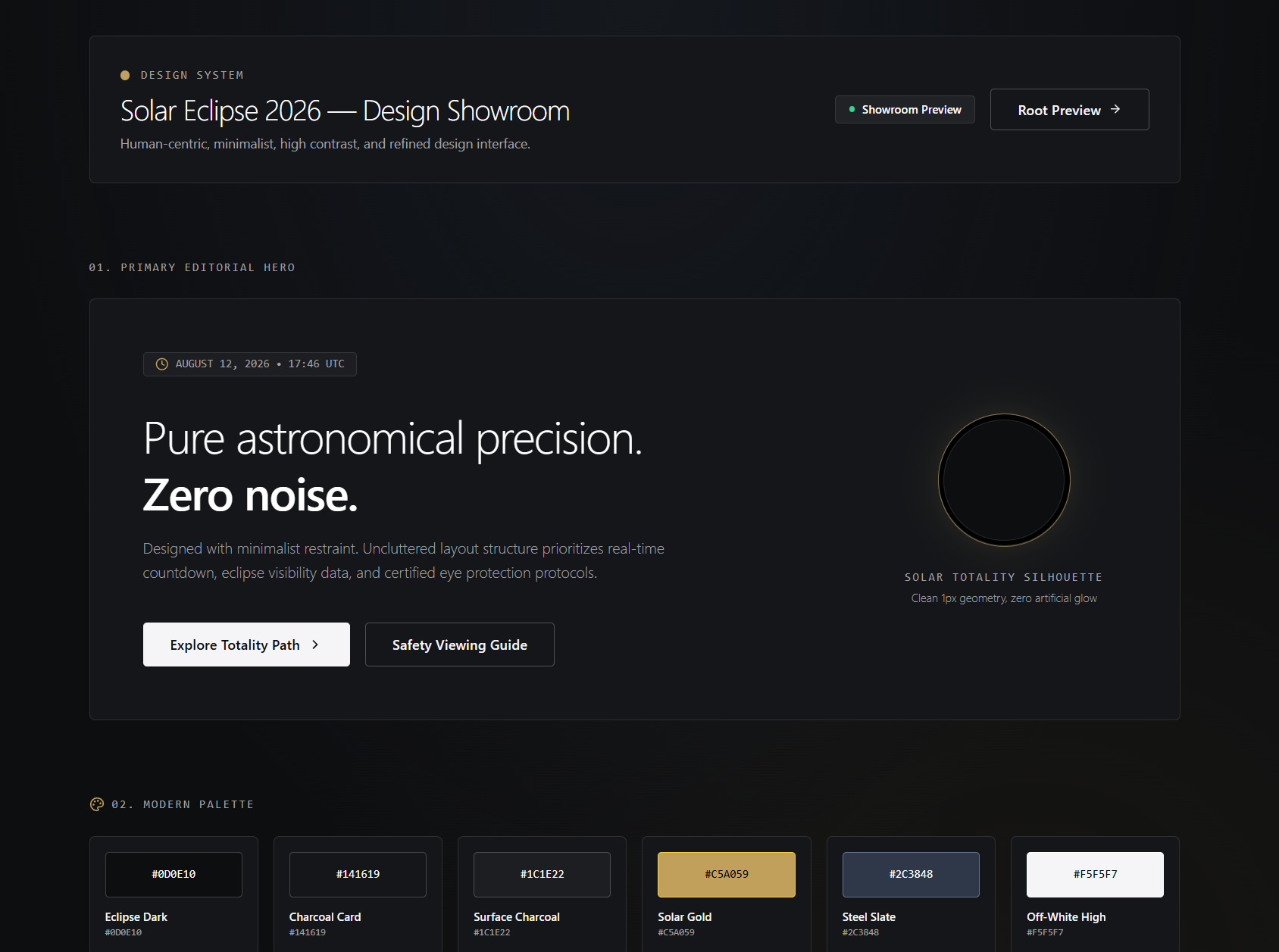
This gives the AI a clear visual baseline so it sticks to the design without drifting. If I need a new element or layout concept later, I ask the AI to add it to the design system page first. I review it there before writing any production code. It saves time, saves tokens, and stops me from having to rewrite poorly styled pages.